How it works
Label it. Scan it. See what's expiring.
FreshMise runs on the iPad your professional kitchen already has. Three moves — print, scan, check the dashboard — and every batch in every walk-in is accounted for.
Try the workflow
The whole loop, in your hands.
Print the label, scan it, and pick an action. Watch the expiry dashboard reorder in real time.
Sticker printer
3-second workflow
FreshMise
Pastry cream
- BATCH
- B-2231
- STATION
- Walk-in
- MADE
- 06:04
- USE BY
- 3 days
Expiry dashboard
Sorted by soonest
5 items · Walk-in
Hollandaise
openedB-2213 · Line fridge
8 h
soon
Fish fumet
B-2208 · Walk-in
20 h
soon
Veal stock
B-2201 · Walk-in
30 h
soon
Pastry cream
B-2231 · Walk-in
3 d
fresh
Chocolate ganache
B-2226 · Pastry fridge
4 d
fresh
Everything in its place
From the group down to a single batch of cream.
FreshMise mirrors how a hotel is actually organized, so an item always knows exactly where it lives.
- 01
Hotel
The group or single property at the top.
- 02
Property / Branch
Each hotel or resort in the group.
- 03
Kitchen
Main, pastry, banquet — each its own space.
- 04
Storage
Freezer, refrigerator, pantry, walk-in.
- 05
Inventory
Every batch, with its own expiry.
What it does
Expiry, properly. Nothing you don't need.
FreshMise doesn't do purchasing, costing, POS, or supplier management. It does expiry and inventory — and it does them in three seconds.
Categories & items with shelf-life rules
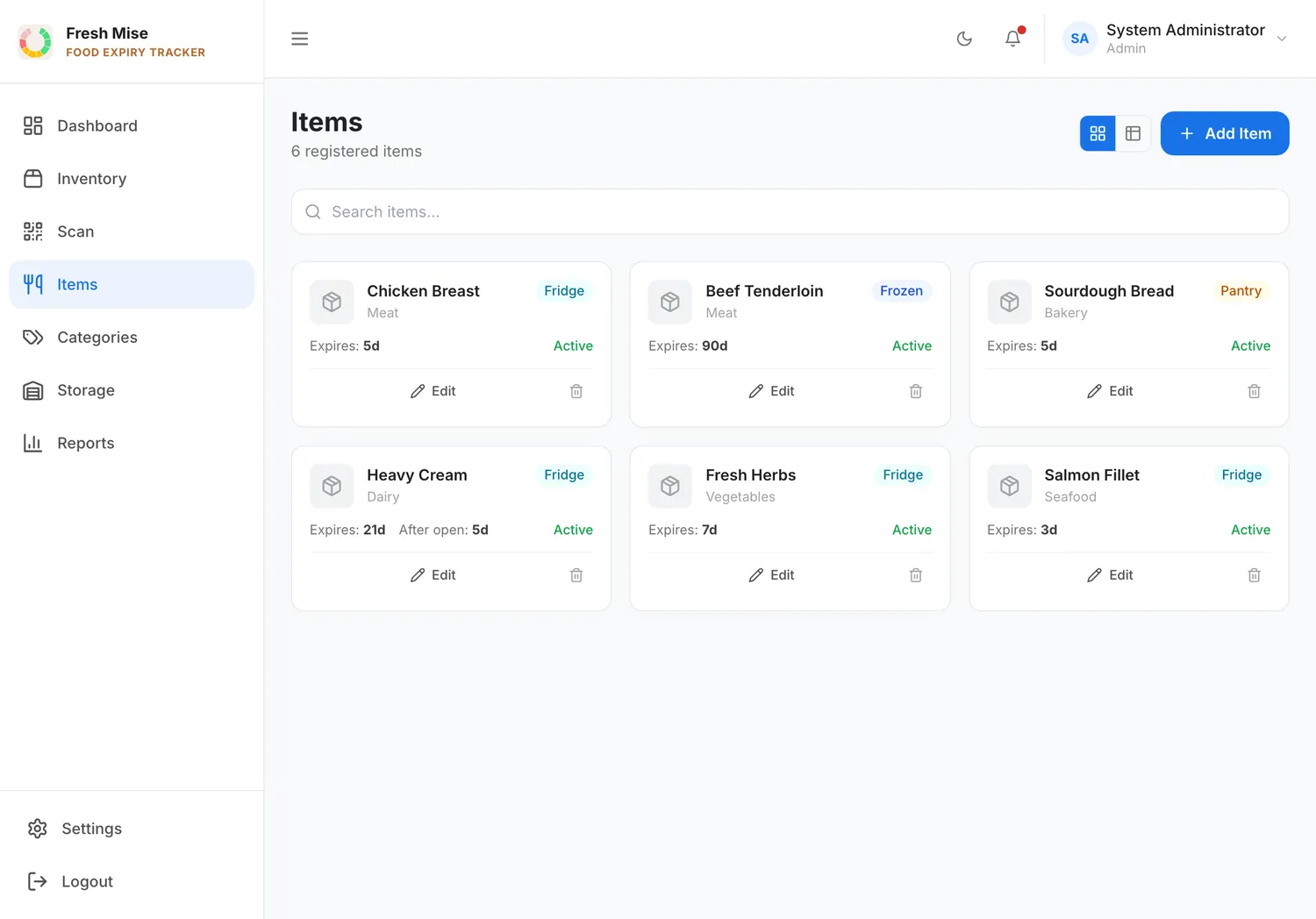
Set the rule once — cream is three days, stock is a week — and every batch inherits it. No one recalculates a date by hand.
Separate open / after-use expiry
An item gets a new, shorter shelf life the moment it’s opened. The clock nobody remembers to start, started with one tap. Most tools don’t do this. It’s the whole point.
One-click QR label printing
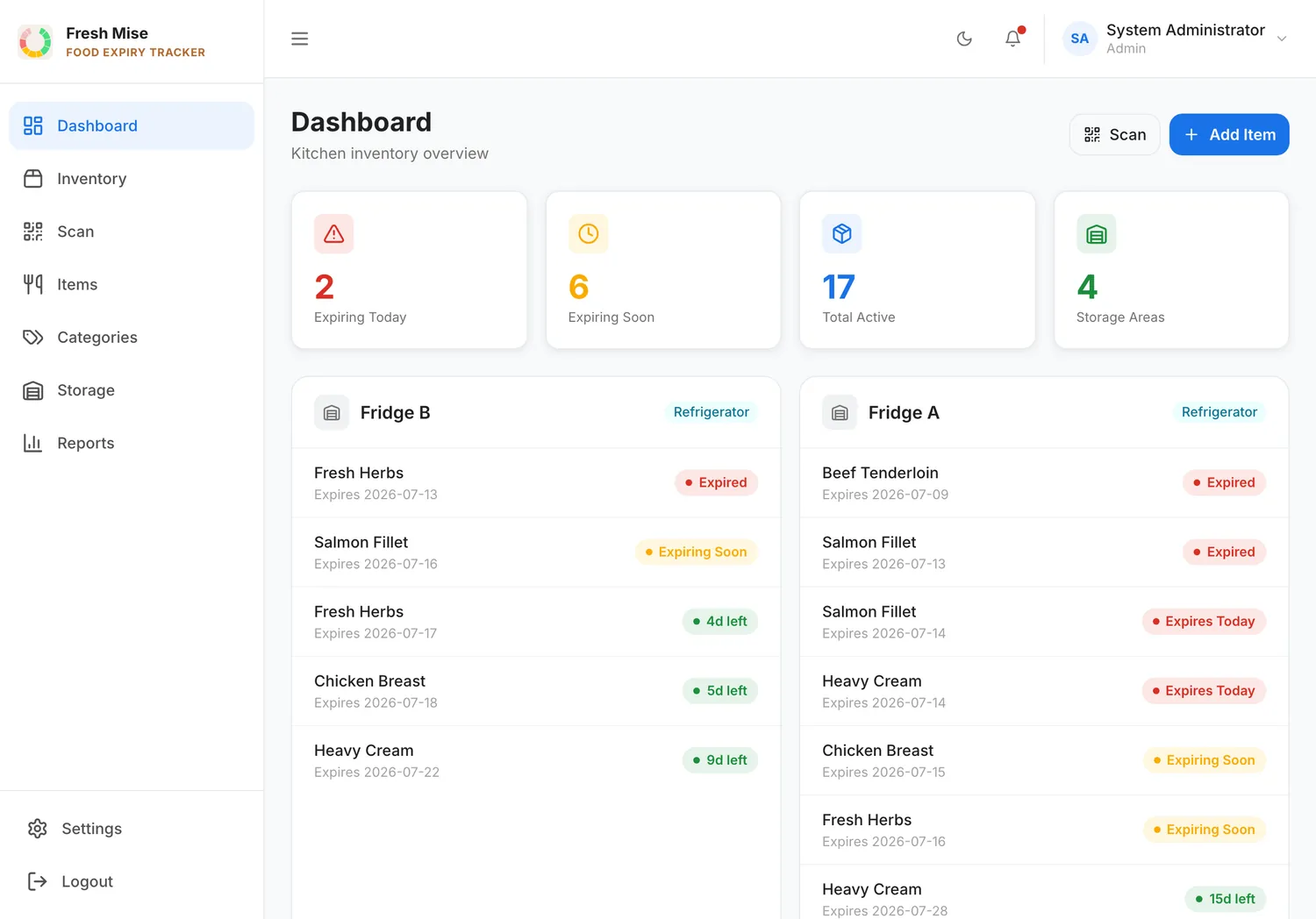
Make a batch of cream, chocolate, or stock; one tap prints a sticker with the item and its expiry. It goes on the container.
Scan with the iPad camera
Point the camera at a label and get three actions: Dispose, Open, or Move. No extra scanner, no handheld gun.
Live inventory
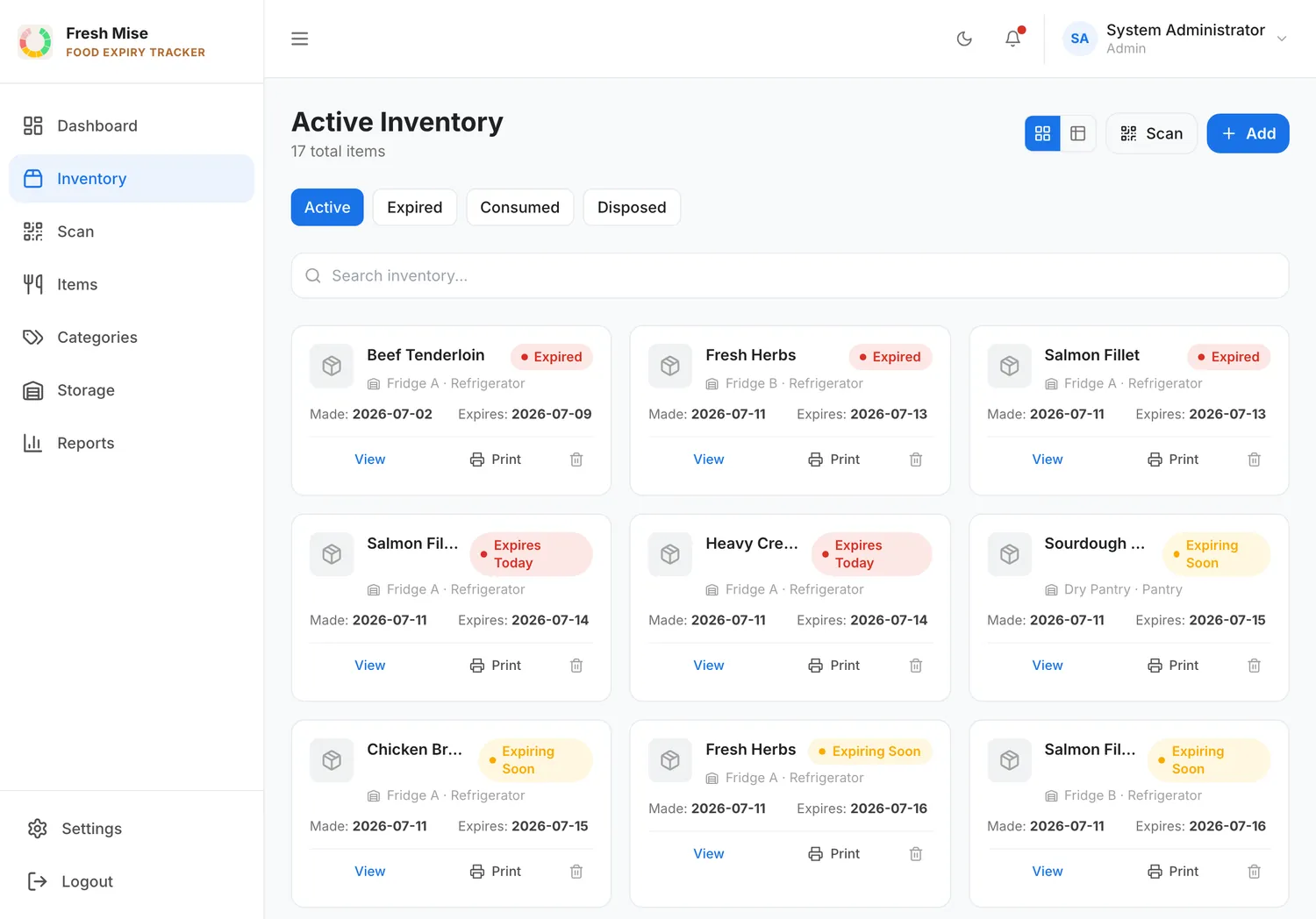
Every scan updates the stock in real time. The label isn’t a dead sticker — it’s a live record of where the food is and how long it has.
Expiry dashboard & notifications
The daily-use screen: everything expiring, sorted by soonest. Notifications land before items expire, not after.
The real app
Every batch, and every rule, in one place.
No mockups. Live inventory sorted by status, and an item catalogue where each item already carries its own shelf-life rule.
On purpose
No POS. No invoice scanning. No recipe costing. No temperature sensors. No AI.
Those are other tools' jobs. FreshMise does one thing — it tells your kitchen what's expiring — and it does it well enough that people actually use it.
A full month, free.
The whole product, on the iPad you already have. No card, no contract. Set up your first kitchen in an afternoon.